The Top Mistakes Store Owners Make When Choosing a WooCommerce Theme
Buying a WooCommerce theme is deceptively simple: browse a marketplace, find a design that “pops,” and hit purchase. But this visual-first approach is exactly why thousands of store owners find themselves re-building their sites six months later.
When the glossy demo content is removed and your actual products are added, the cracks in a poorly coded theme begin to show. Here are the top 5 fatal mistakes to avoid during your selection process.
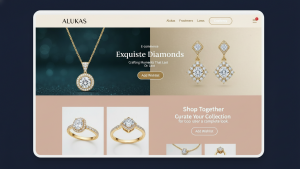
1. Falling for the “Demo Illusion” (The Stock Photo Trap)
The Mistake: You buy a theme because the demo looks stunning, high-end, and professional.
The Reality: You aren’t buying the images. You are buying the layout code.
Theme developers spend thousands of dollars on professional photography and graphic design to sell their themes. When you install the theme and replace their perfectly color-graded, professionally lit photos with your own iPhone product shots, the site often looks broken or amateur.
- The Fix: Look at the typography, whitespace, and grid structure. These are the only things you are actually buying. Ask yourself: “Would this theme still look good if the images were black and white placeholders?” If the answer is no, the theme relies too heavily on photography you don’t own.
2. Confusing “Features” with “Value” (The Swiss Army Knife Fallacy)
The Mistake: Choosing the theme that has the longest feature list on the sales page. “Look! It includes a Portfolio, a Forum, an Event Calendar, and 4 different Slider plugins! That’s $200 of value for free!”
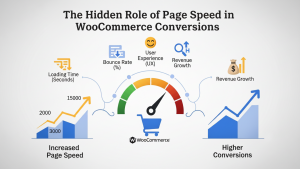
The Reality: This is bloat, not value. In the world of Core Web Vitals, unused code is toxic. If a theme includes features you don’t need (like a Portfolio custom post type for a shoe store), that code is often still loading in the background, delaying your First Contentful Paint (FCP).
- The Fix: Buy a theme that does one thing well (selling products). If you need an Event Calendar later, install a dedicated plugin for it. Do not let your theme dictate your functionality.
3. Ignoring “Vendor Lock-In” (The Shortcode Trap)
The Mistake: Buying a theme that uses a proprietary builder or custom shortcodes for its layout.
The Reality: If a theme uses its own “baked-in” page builder (common in older ThemeForest themes), your content is held hostage. If you ever try to switch to a faster theme like Astra or GeneratePress in the future, all your product descriptions will turn into garbage code like [theme_column width="1/2"]Content[/theme_column].
- The Fix: Strict adherence to standards. Only choose themes that use the native WordPress Block Editor (Gutenberg) or are explicitly built to wrap around standard page builders like Elementor.
4. Assessing Design on Desktop Only
The Mistake: Making the purchase decision while sitting at a 27-inch monitor.
The Reality: 70%+ of your traffic (and likely 60% of your sales) will come from mobile devices. A theme might have a gorgeous mega-menu on desktop that becomes a usability nightmare on a smartphone.
- The Fix: Shrink your browser window.
- Does the “Add to Cart” button stick to the bottom of the screen?
- Is the mobile menu easy to tap, or are the links too close together (causing “Click Rage”)?
- Do the product images swipe smoothly?
- If the mobile experience feels like an afterthought, do not buy it.
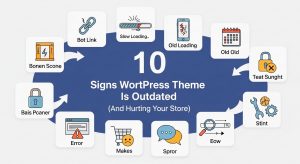
5. Overlooking the “Last Updated” Date
The Mistake: Buying a popular theme that hasn’t been patched in 6 months.
The Reality: WooCommerce updates constantly. WordPress updates constantly. PHP versions update constantly. If a theme developer isn’t pushing updates at least once every 6–8 weeks, they are likely abandoning the project. An outdated theme is a security risk and a major cause of “Critical Errors” during checkout.
- The Fix: Check the changelog. You want to see a history of boring, technical updates (e.g., “Fixed CSS conflict with WooCommerce 9.4”). This proves the developer is actively maintaining the code, not just selling a dead product.
Summary: The Golden Rule of Theme Selection
The Best Theme is Invisible.
The job of a theme is to frame your products, not to steal the show. If users are noticing the animations, the sliders, and the fancy transitions, they aren’t looking at the “Buy Now” button.
Avoid the bells and whistles. Choose a quiet, fast, mobile-optimized framework, and let your products do the talking.